
Download NCVT ITI Admit Card – Download 1st & 2nd Year ITI Hall Ticket 2026
There is good news for ITI students who have been waiting for the NCVT ITI Admit Card 2026. Finally, the NCVT has announced the release dates for the ITI Practical and CBT Admit Cards; the Admit Card for the Practical examination will be released on the official website on June 23, 2026. Similarly, the Admit Card for the CBT (Computer-Based Theory) will be issued on July 3, 2026, and the examination will be conducted from July 9 to August 3, 2026.
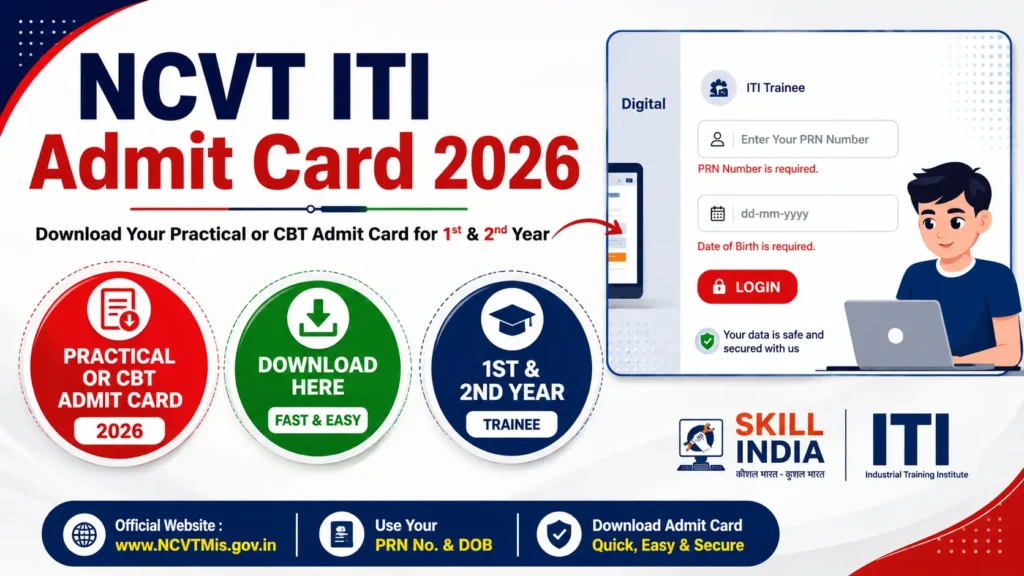
All the first and second year NCVT ITI students who don’t know where they can download the Admit card/hall ticket. Let me tell you that you can download it from the official website of Skill India (SIDH), skillindiadigital.gov.in, by simply entering your PRN Number and Date of Birth.
| Board Name | National Council of Vocational Training (NCVT) |
| Name of the Exam | ITI (Industrial Training Institute) |
| Practical Exam Admit Card | 23 June to 10 July 2026 |
| CBT Exam Admit Card | 03 July to 03 August 2026 |
| Practical Exam Dates | 06 to 10 July 2026 |
| CBT Exam Dates | 09 July to 03 August 2026 |
| Blog Category | Admit Card |
| Exam Type | CBT & Practical Exams 2026 |
| Required Details to Download | Registration no, Father’s name, Date of Birth |
| Official Website of NCVT | ncvtmis.gov.in |
| Official Skill India Portal | skillindiadigital.gov.in |
How to download the ITI Admit Card for the 1st and 2nd Year?
The ITI Hall tickets play an important role in your examination. Without having it, you can’t appear for both your Practical and CBT examinations. If you haven’t downloaded your NCVT MIS ITI Admit card, then don’t delay. By following these methods, you can download easily.
Download through Skill India Digital Portal (SIDH)
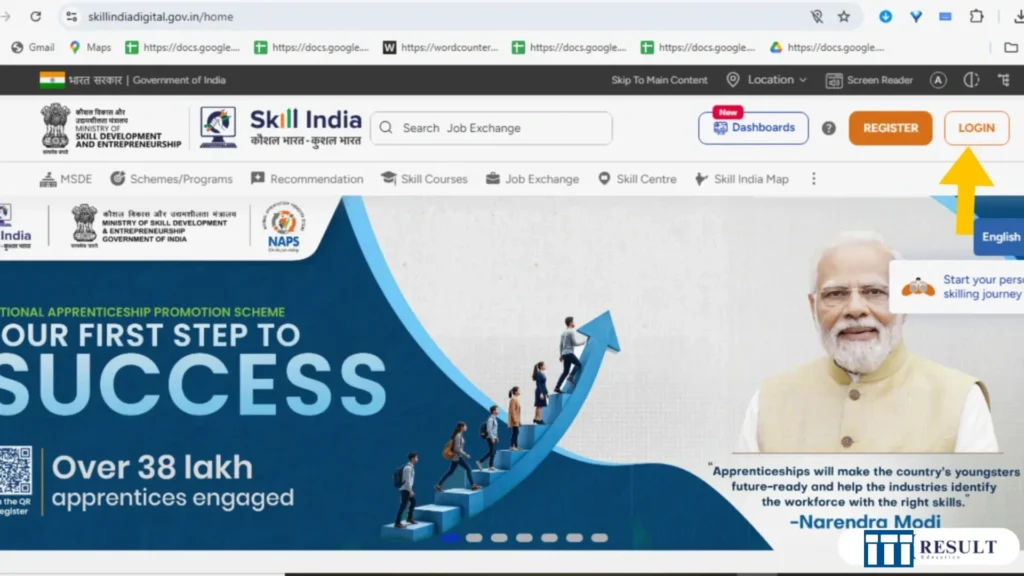
Step 1: Visit the Skill India Portal, skillindiadigital.gov.in.
Step 2: As I have attached an image, you can see the login button, which I have pointed out in the red colour array mark. Similarly, you can see the same interface on the official website. Just click the Login button
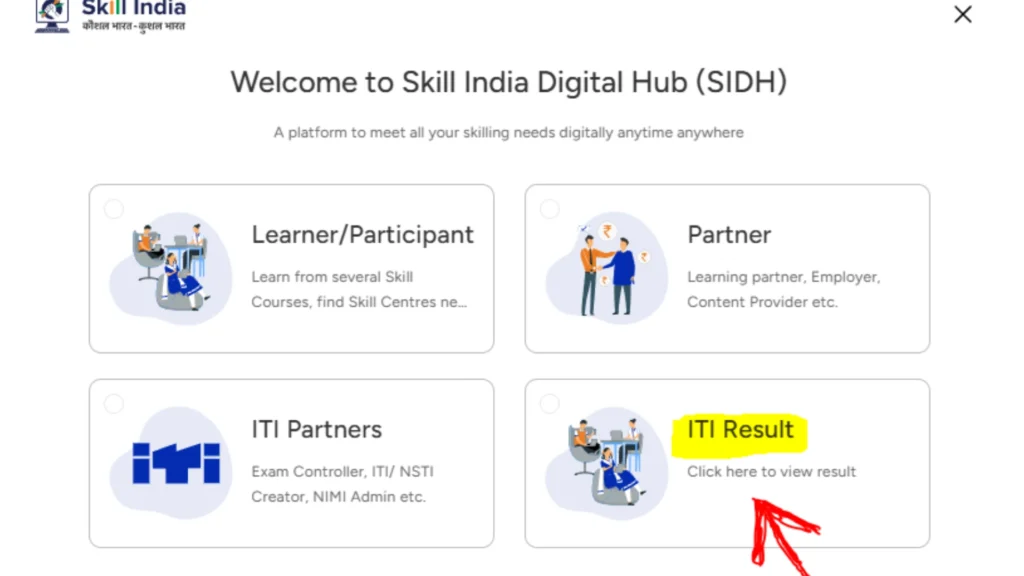
Step 3: Now, click on the ITI Result Button.
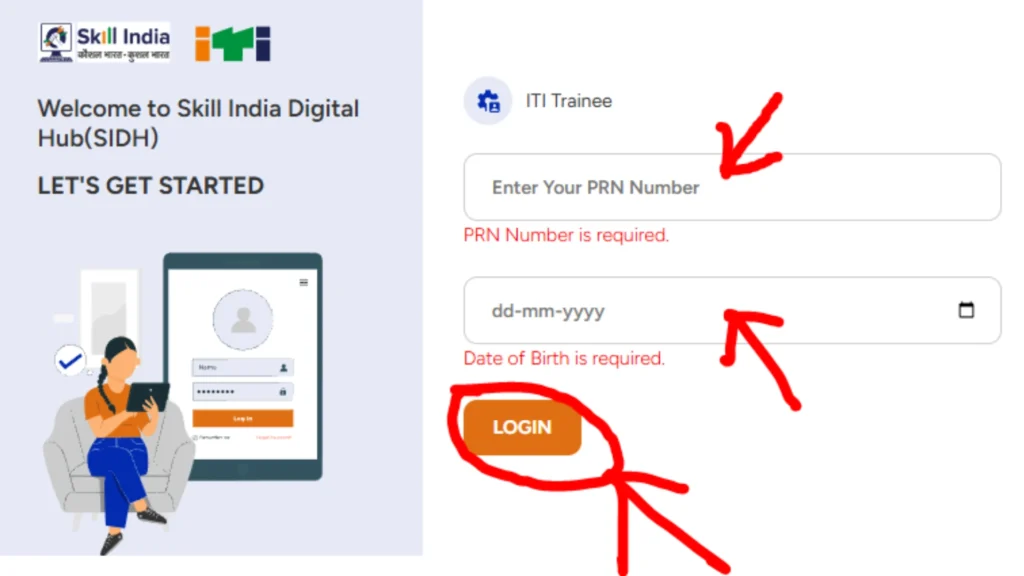
Step 4: Enter details like PRN number and Date of Birth, and press the Login button.
Step 5: After login, you will be there ITI trainee details. Tap the three-line button, and you will see the Practical Exam or CBT Exam option from there.
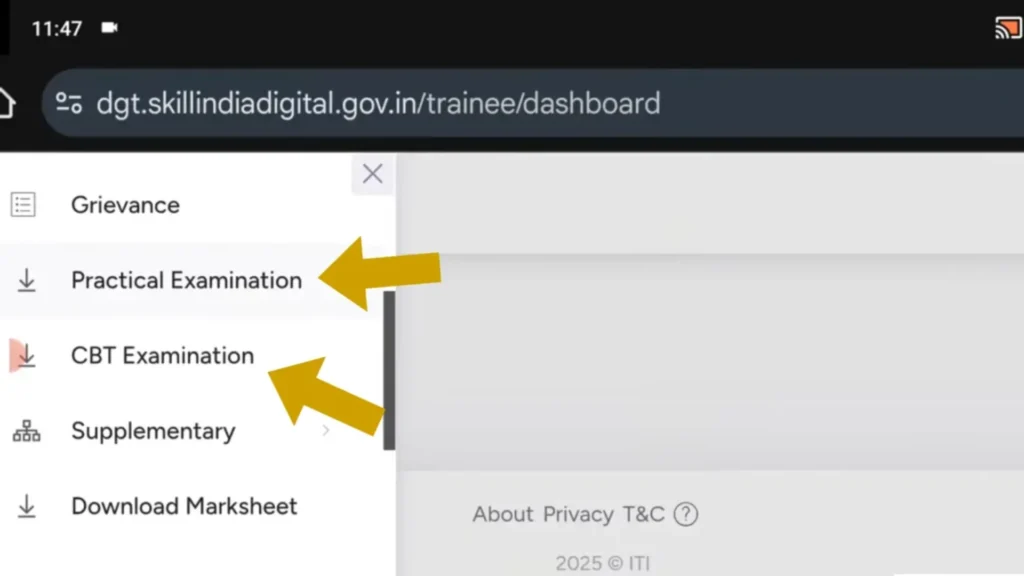
Step 6: Click any of the Practical Examination or CBT Examination options. After that, you can see your trainee’s details. Just a little bit of scrolling and an option will be available “Action” below the Action word. You can see the 3-dot option, click it.
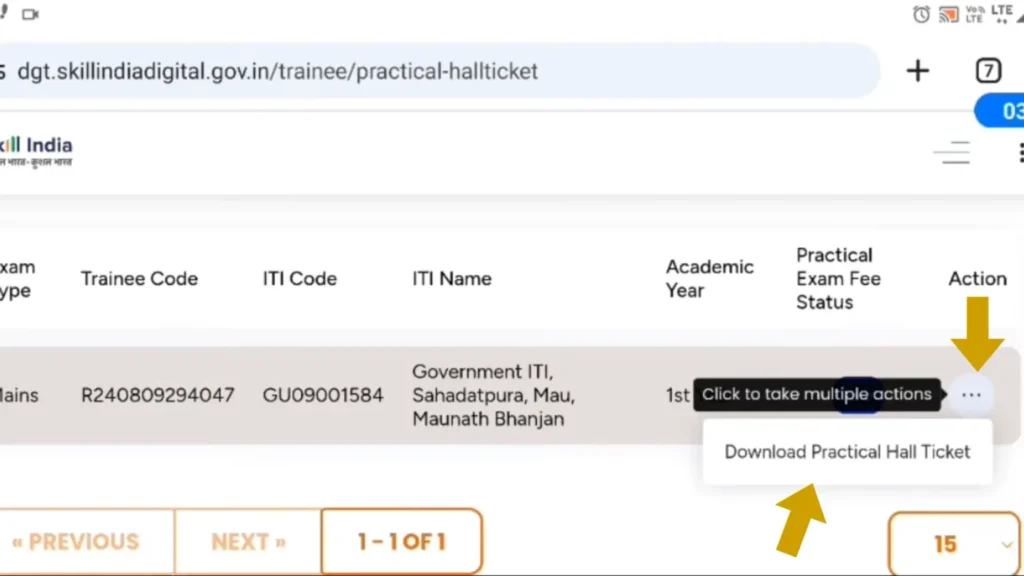
Step 7: Now, just click the Download Practical or CBT Hall Ticket, and your Admit Card will be displayed on your mobile screen. You can also view your NCVT Result 2026 from there.
Step 8: Download it and save it on your device for future use.
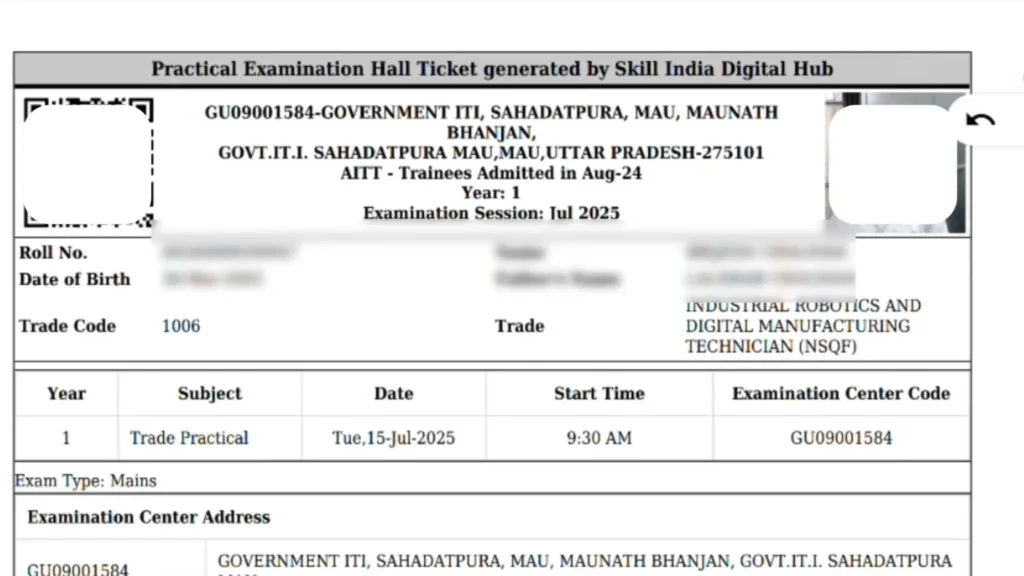
Details Given in NCVT MIS ITI Hall Ticket 2026
After downloading your NCVT ITI Admit card/Hall Ticket. Your very first step should be to recheck your ITI Hall Ticket details carefully. If you find any errors or misspellings, immediately contact your college authorities. I have pointed out a few important details below. Check it.
- Name of Candidate
- Registration Number
- Candidate Gender
- Date of Birth
- Category
- Name and Address of the Centre
- Center Code
- Candidate Roll Number
- Candidate Photo
- Exam Time & Date
- Candidate’s father’s and mother’s names
What to Do If the Admit Card Is Not Downloading?
If your NCVT ITI Admit Card 2025 is not appearing on the website or is not downloading, then there is no need to worry. Many students face this issue. Just follow these steps:
1. First, check whether the Admit Card has been released or not: Many students try to download it before it goes live on the official portal. First, get confirmation that it has been released, and then download.
2. Recheck your details carefully: Even a small mistake while filling in the Roll number, PRN number, or Date of Birth can stop the download. Check the details carefully once again.
3. Wait for a while and try again: Sometimes, when the load on the website is too much, it works slowly. At such times, just wait a few minutes and try again.
4. Clear Cache or Use Another Browser: Sometimes, problems also occur due to browser cache or cookies. Use Chrome’s incognito mode, or try alternate browsers like Firefox / Edge.
5. Go to your ITI Centre and get help: If you have tried everything and are still not getting the admit card, then immediately contact your ITI training centre. They will either download your admit card or tell you the problem in the system.
6. Contact NCVT directly: If necessary, you can also contact NCVT MIS’s official helpline or email:
- Website: ncvtmis.gov.in
- Email: ncvtmis@dgt.gov.in
- Phone: 0120-4405026
Note: Make sure to download your admit card before the Exam! Entry to the exam centre is not allowed without the admit card. So do not wait till the last moment. If there is an issue, then take action immediately.
Important instructions for the Exam Day
To avoid any problem on the day of the Exam, take these important tips seriously:
1- Reach the exam centre early: To avoid traffic and confusion, reach the exam centre at least 30 minutes before the Exam begins.
2- Don’t carry an electronic device: Carrying any electronic device is strictly banned. Phone, smartwatch, Bluetooth – leave everything at home.
3- Carry the Admit Card: Take your Admit Card along with your college ID on the day of the examination; without these, you will not get entry.
4- Check the Admit Card properly: Check your name, roll number, name of the center, and exam date once. If there is any mistake, contact ITI first.
5- Confirm the address of the centre first: To avoid last-minute confusion, check the location on Google Maps or visit it once before.
6- Read the Admit Card instructions carefully: What to take, what not to take, reporting time, shift details, everything is clearly written on the admit card. Do not ignore it.
How to Reset Login Details on NCVT or Skill India Portal?
If you have forgotten your login ID or password, then there is absolutely no need to worry. You can easily reset it on the NCVT MIS or Skill India portal. Just follow these steps:
- First, visit the official website [NCVT MIS](ncvtmis.gov.in) or [Skill India Digital](skillindiadigital.gov.in)
- After opening the official website, click on the Login button
- Then, select the “Forgot Password” or “Forgot Username” option
- Provide your registered mobile number or email.
- You will receive an OTP or reset link via SMS/email.
- Enter the OTP or click on the link to set a new password.
Important Tips: Your mobile number must be active; otherwise, you will not receive an OTP. If you do not receive an OTP or still cannot log in, contact your ITI training centre – they will verify your details and help you.
Important Links
| ITI Hall Ticket 2026 | Download Here |
| NCVT ITI Result 2026 | Check Here |
| NCVT ITI Admission 2026 | Check Details |
Conclusion
If you are a student of NCVT ITI 1st or 2nd year, then it is very important to get the admit card. Without it, you will not get entry into the exam hall. In this article, I have explained every step clearly, such as how to download from the NCVT and Skill India portals, what details are required, and what to do if you face any problems. If you found the article helpful, then do share it with friends.