
Download NCVT ITI Marksheet & Certificate 2026 @ skillindiadigital.gov.in
Whether you have given CBT or a practical exam, all students can download their NCVT ITI Marksheet & Certificate 2026 online from the NCVT MIS portal and the SIDH portal.
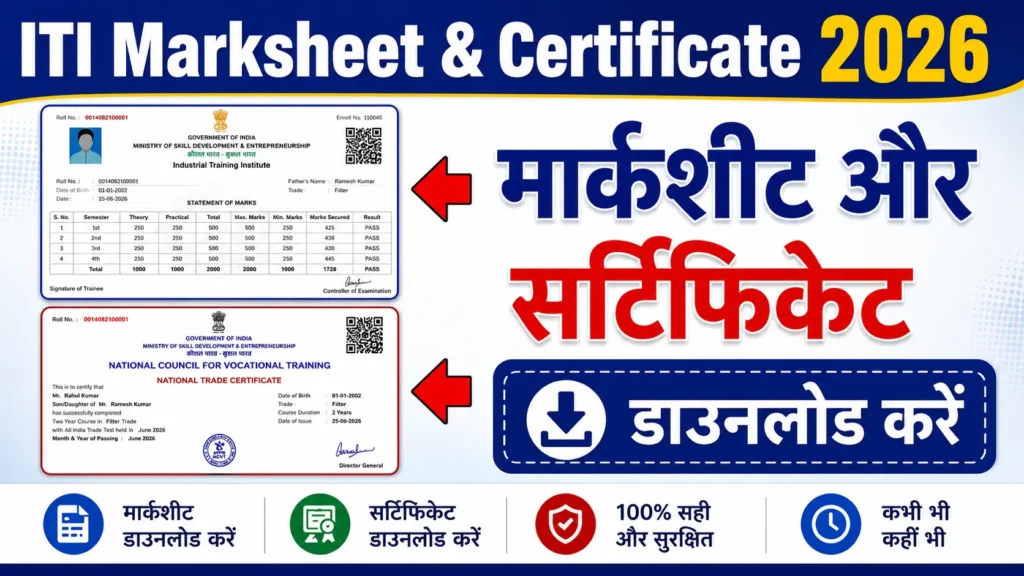
Many students are still confused about which link is correct, whether they need a PRN number, and how to verify whether the certificate is valid or not. That is why this guide has been specially created for students like you. Let’s understand step-by-step how to download the NCVT ITI marksheet and certificate in PDF format without any issues.
| Board Name | National Council of Vocational Training |
| Status | Not Available |
| Article Category | ITI Marksheet and Certificate |
| Required Details | PRN/Registration Number & Date of Birth. |
| Skill India Official Website | skillindiadigital.gov.in |
| NCVT Official Website | Ncvtmis.gov.in |
| ITI Result 2025 Link | Check Here |
How to download the ITI Marksheet & Certificate 2026?
After your NCVT ITI result is declared, the most important work is to download the mark sheet and certificate, because based on this document, you can apply for a job, apprenticeship, or higher studies.
Step 1: First of all, go to your browser and open the official website of the Skill India Digital Portal: skillindiadigital.gov.in.
Step 2: Now, click on the “Login” option on the website. If you can’t find then can see the attached image.

Step 3: As soon as you click on the Login section, some options will appear on your mobile or desktop screen. From there, you have to select the “ITI Result” option.

Step 4: Now, on the new page, you will have to fill in your basic details like:
- PRN Number
- Date of Birth
These details given in your ITI Admit Card. Enter both these details correctly and click on the “Login” button.

Step 5: After logging in, click on the “…” (three-dot) icon that appears on the top-right side of the dashboard. There you will get three options:
- Dashboard
- Trainee Details
- View Result
Now you have to click on the “View Result” option.

Step 6: Now, again click View result. From here, you can easily download the mark sheet and certificate.

Step 7: Now your NCVT ITI Marksheet & Certificate, and also your NCVT Result, will be displayed on the screen. You can download it in PDF format, or you can take a direct printout for future use.

What details are there in your ITI Marksheet & Certificate?
Your Marksheet & Certificate contain important details like:
- Trainee Name
- Father’s Name
- Registration/PRN Number
- Roll Number
- Trade Name (Electrician, Fitter, etc.)
- ITI Institute Name
- Academic Session
- Exam Year & Session
- Result Status (Pass/Fail)
- Semester-wise Marks
- Total Marks & Percentage
- Certificate Number
- Issue Date
- Digital Signature of Authority
⚠️ Important: If you see any mistake, like the name is wrong, marks mismatch, or the trade is incorrect, then immediately contact your ITI College or NCVT Regional Office. It is important to get it corrected quickly.
How to Verify If Your ITI Certificate Is Valid or Not?
To verify whether your ITI certificate is valid or not, you can use the official NCVT MIS Portal (ncvtmis.gov.in). Just click the Verification section and fill out the e-certificate Number and Certificate Type.

After entering the e-certificate Number, you can get your name along with the institute name, Trade, and certificate issue date.

Conclusion
In this article, I have told you the step-by-step process through which you can easily download your ITI Marksheet & Certificate through the Skill India Digital Portal or the NCVT MIS official website. You just have to enter your PRN Number, Registration Number, and Date of Birth correctly, and you can download or print your Marksheet or Certificate in PDF format. This entire process is simple; just follow the steps carefully.